
Quickstart
Generate a document
Generate your first report in just a few minutes with Carbone!
1 - Create Your Template
Generating your first document with Carbone is very simple.
- Open Microsoft Word, LibreOffice, or Google Docs (start with ODT or DOCX. See all supported formats).
- Add Carbone tags where you want data to appear. For example:
Name: {d.firstname} {d.lastname}
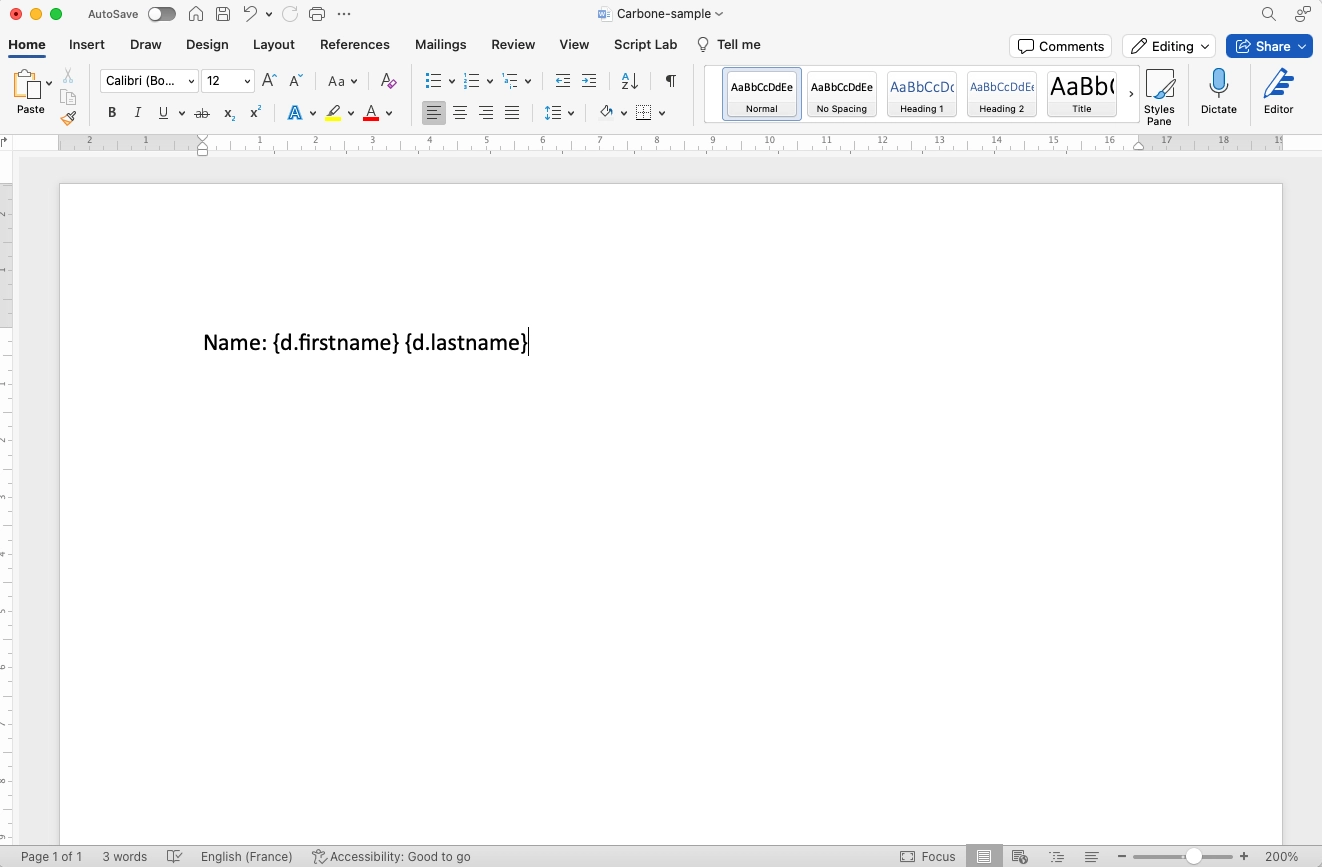
Bravo 🤩, your template is ready to use!
You can also use other editors to create templates, such as VSCode, Cursor.sh, Sublime Text (for XML/HTML/MD templates), Affinity Designer or Adobe Illustrator (for SVG), TinyMCE, CKEditor, or WordPress editor (for HTML).
2 - Upload to Carbone Studio
- Sign up for your Carbone Cloud account.
- Open Carbone Studio.
- Click "Start from Scratch", upload your template, and add your JSON data.
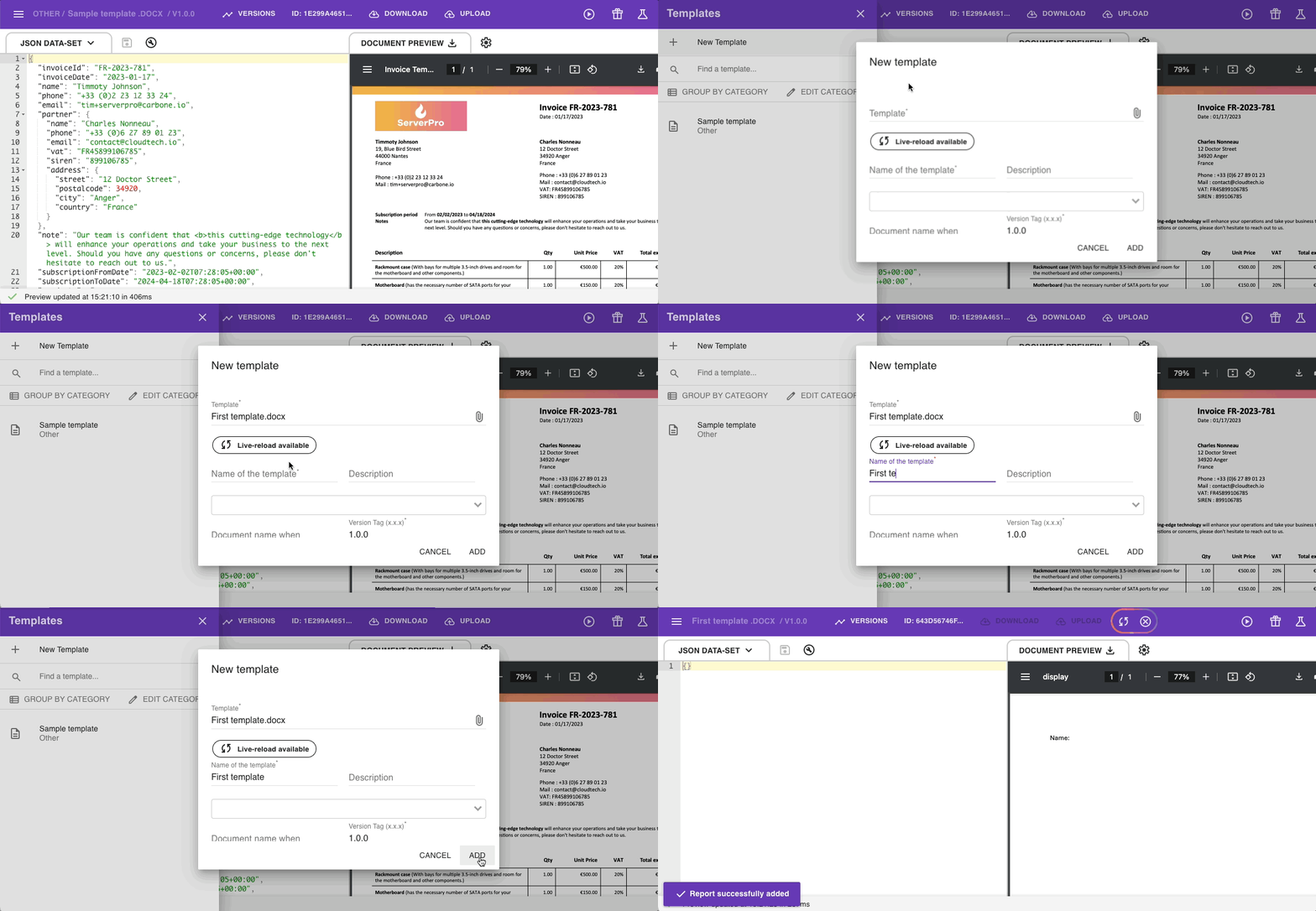
3 - Preview and Save
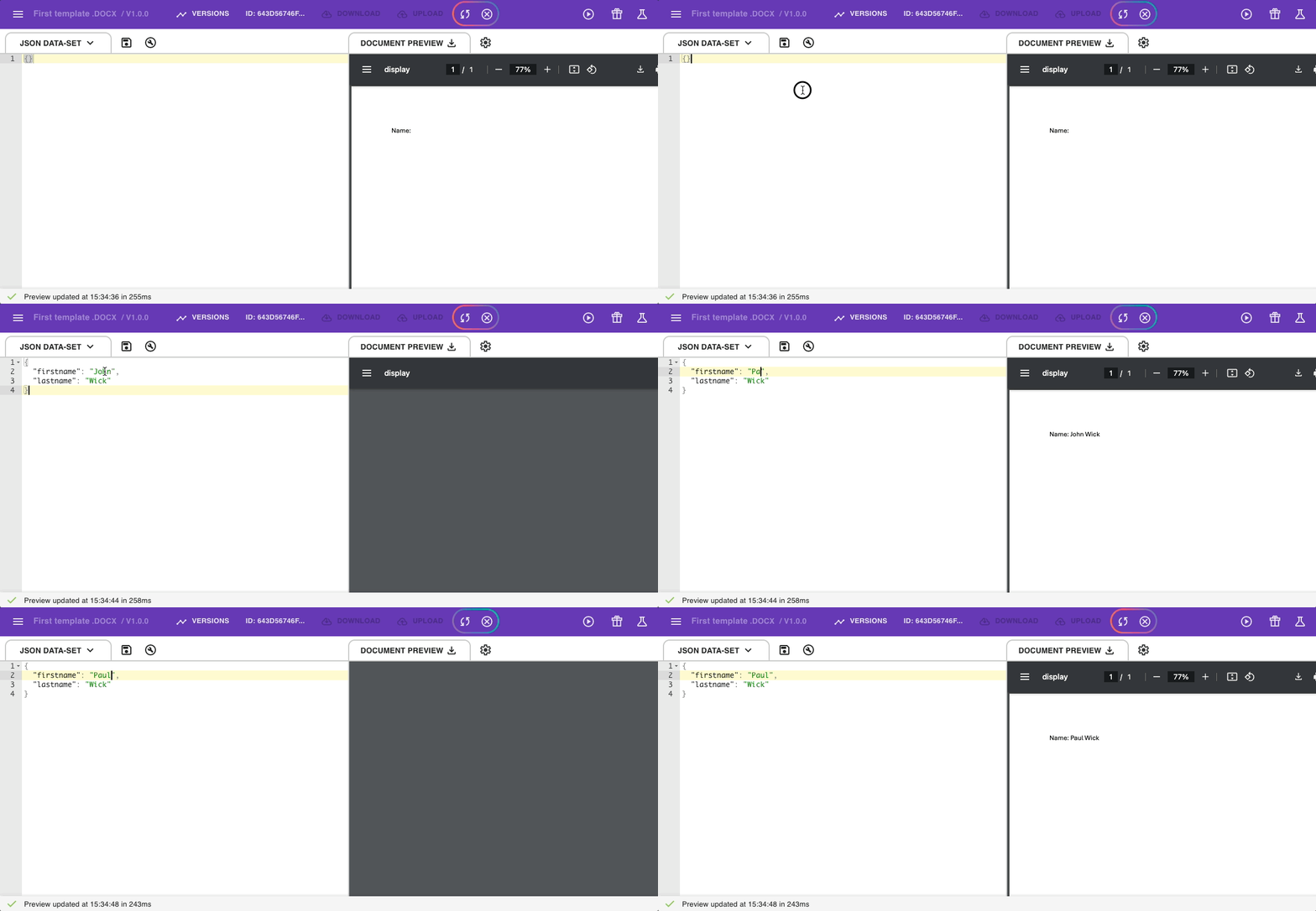
- See your document update instantly as you edit the data or the template.
- When happy, save your template.
- The
Template IDlets you use this template with Carbone APIs. See the Quickstart for developers for more info.
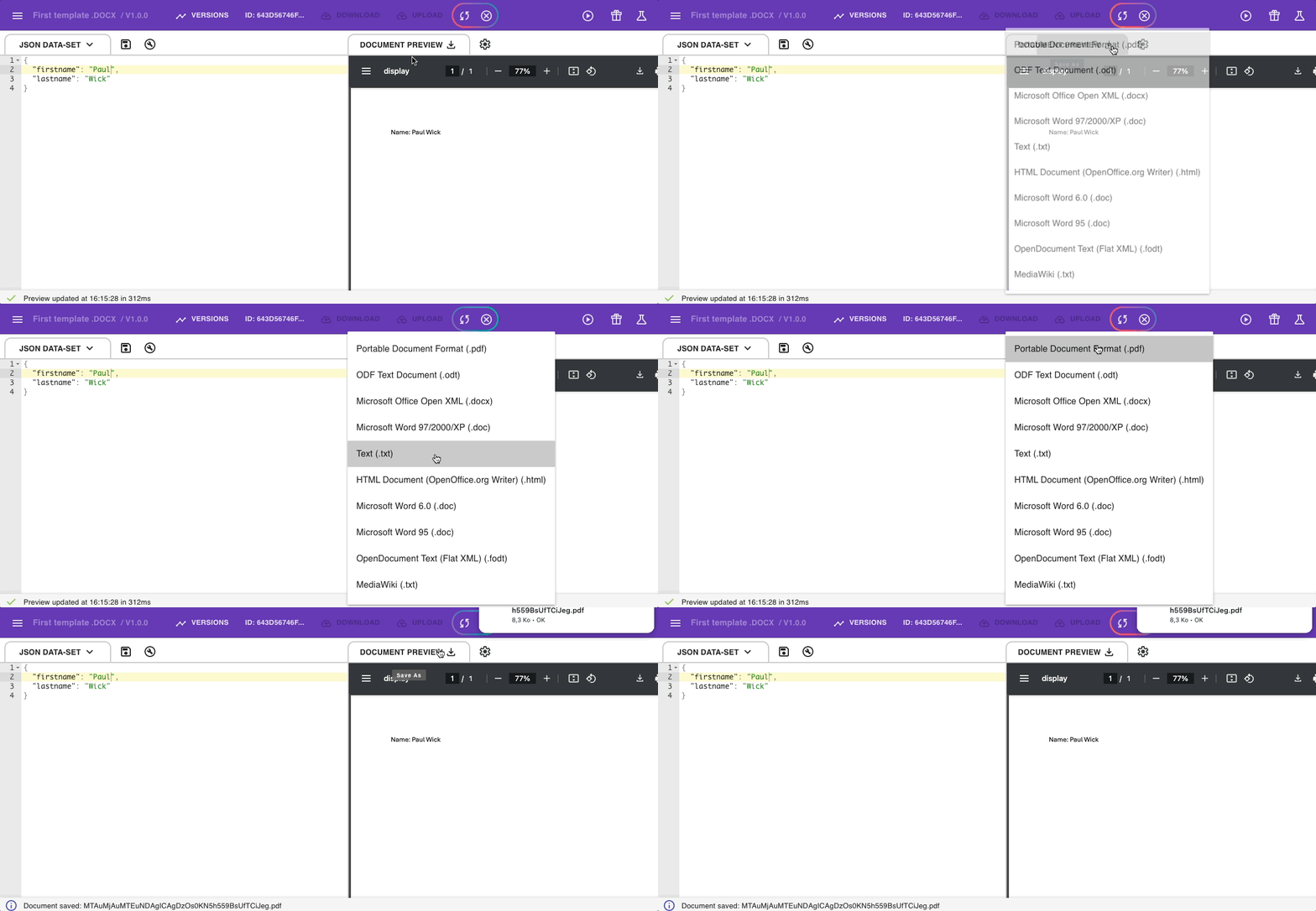
4 - Download Your Document
Download your report in any format you need.
Next steps
- Learn to design template
- Integrate Carbone to automate your document generation.
Live reloading
Live reloading allows designing and editing templates from your local text editor, and Carbone Studio will preview the report automatically. Upload a template once, and the document previews on Carbone studio as soon as the JSON/template is updated.
In a nutshell, you create a new document, for example, in Microsoft Word. Once uploaded to Carbone Studio, you can edit your template in Word, and each time you save, the preview will be refreshed in Studio.
It's magic 🎉