
Simple Invoice Automation
Generate PDF Invoices with Carbone
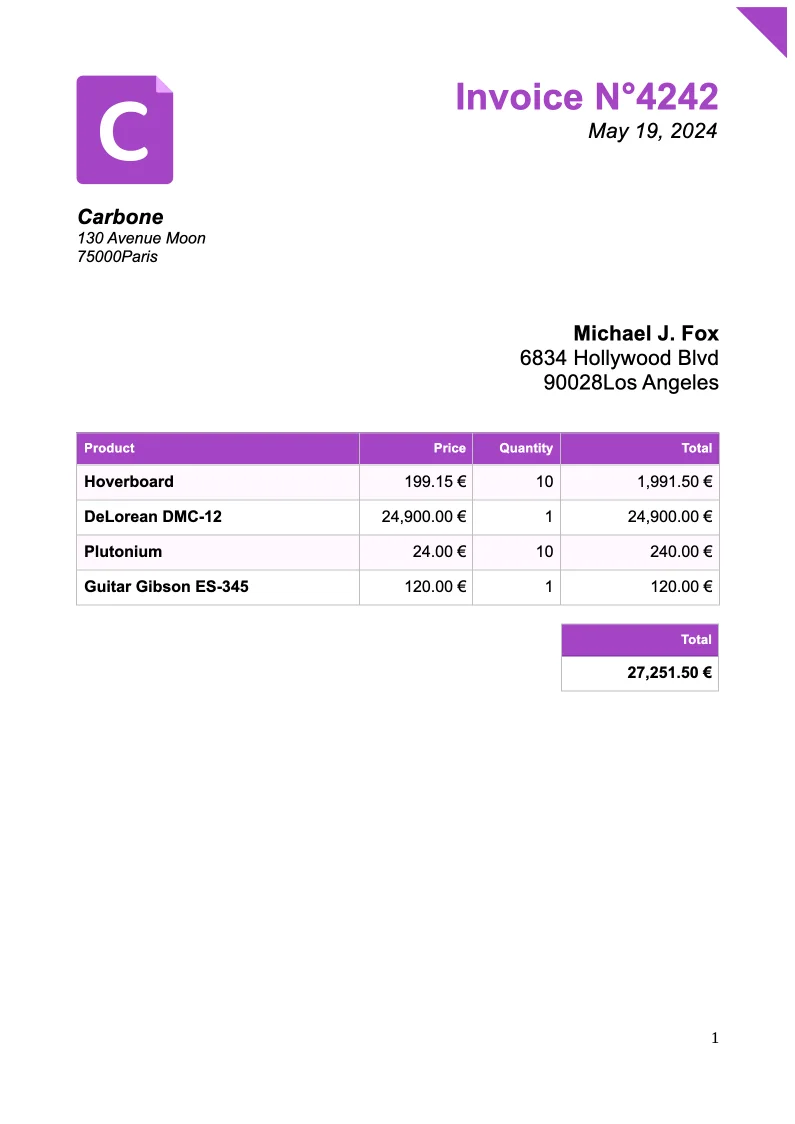
- Template type document docx simple
- Carbone min. v5.0.0+
- Features bidirectional loop set subtotal color
- Target invoice contract custom
Overview
Learn how to automatically generate professional PDF invoices with these essential features:
- Automatic table header repetition on page breaks
- Dynamic calculation of product totals
- Automatic page numbering
- Customizable color themes
Step-by-Step Guide
Follow these steps to create your invoice template with Carbone:
1. Basic Layout Setup
Start by inserting Carbone tags for your company information. Format the text and spacing to create a professional layout.
Example:
{d.company.name}
{d.company.address}
{d.company.postalCode} {d.company.city}
For your company logo, insert a placeholder image and set its URL using the View Alt Text option.
2. Product Table Creation
Create a table to display your product information:
- Insert a table with columns for products and their details (prices, quantities, etc.)
- Add dynamic calculations using formatters (e.g.,
:mul()to calculate subtotals) - Set up product iteration using:
{d.products[i+1]}
Important: In table properties:
- Set text wrapping to None
- Uncheck Allow row to break across pages for better layout consistency
3. Header Row Configuration
To ensure your table header appears on every page:
- Select the first row of your table
- Right-click and open Table Properties
- Go to the Row tab
- Check Repeat as header row at the top of each page
4. Total Calculation Setup
Add a summary table for invoice totals:
Example:
{d.products[].priceTotal:aggSum:formatC}5. Page Numbering
Add automatic page numbers:
- Click Insert in the menu
- Select Page Number
- Choose your preferred footer position
6. Dynamic Color Theme
Customize your invoice colors dynamically with the :color formatter:
For text color:
{d.color:color(p)}For row background color:
{d.color:color(row, background)}Related Examples
Trusted by 800+ paid customers in 40+ countries
Finance
Healthcare
Insurance
Legal
Public
Retail
Energy
Software
Telecom