
Meta Muse

Muse keeps your AI under your control. Carbone does the same for every document it writes, exact, on-brand and rendered where your data lives.
You chose Muse to stay in control. Your documents deserve the same.
Open weights on your own GPUs, or Muse Spark through Meta's API: either way, you decided how your AI runs, where your data goes and what it costs.
Then your agent has to produce something people rely on. A contract a client signs. A credit memo a committee approves. A report a regulator reads. This is where AI output becomes a commitment, and it has to be exact, on-brand and identical every time.
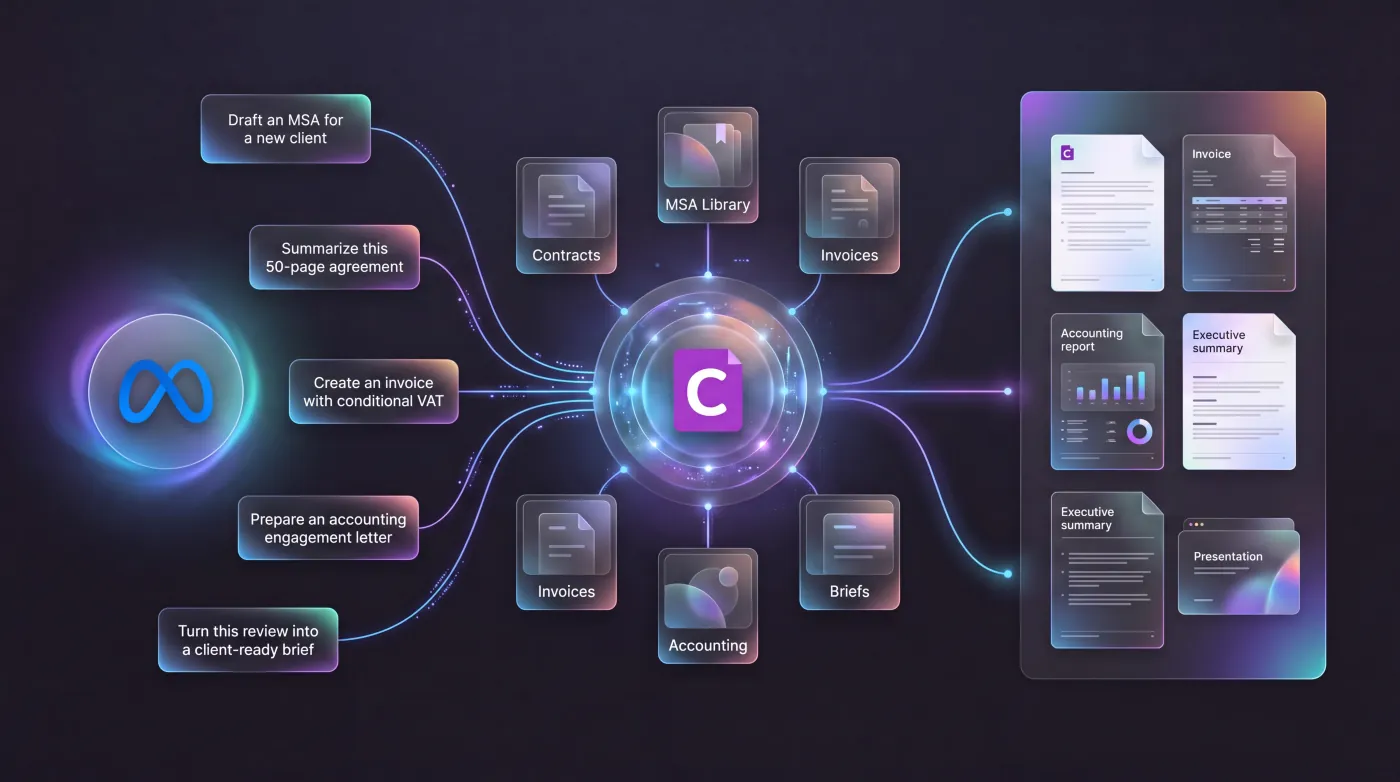
Carbone exists for that moment. It turns what Muse knows into documents your company can stand behind, rendered from your own templates, on your servers or ours.
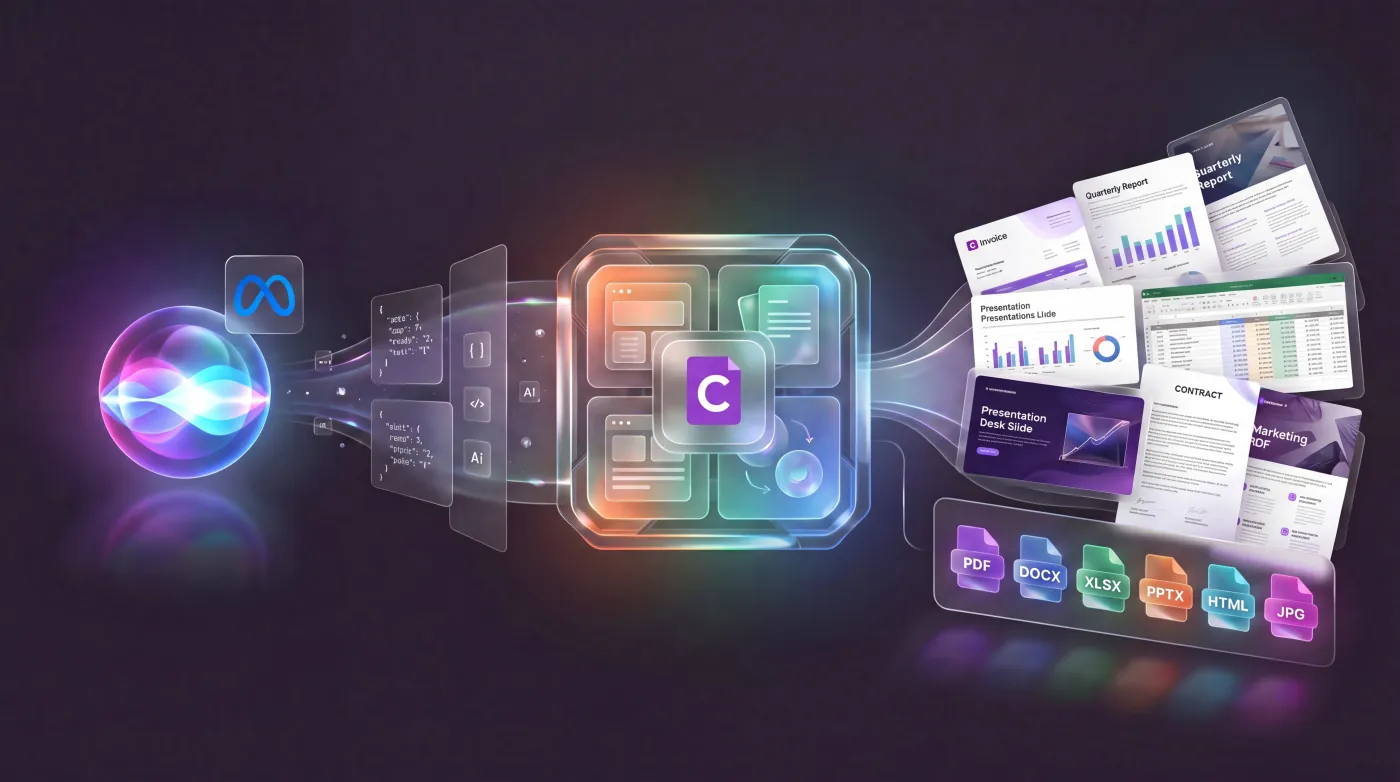
Muse decides what to say. Your template decides how it looks.
Carbone splits the job in two. Muse does what language models do best: it reads the request, gathers the facts and writes the words, then hands them over as JSON. Your template, designed in Word, Excel or PowerPoint by the people accountable for it, holds what a model should never improvise: the layout, the legal wording, the brand. Carbone merges the two.
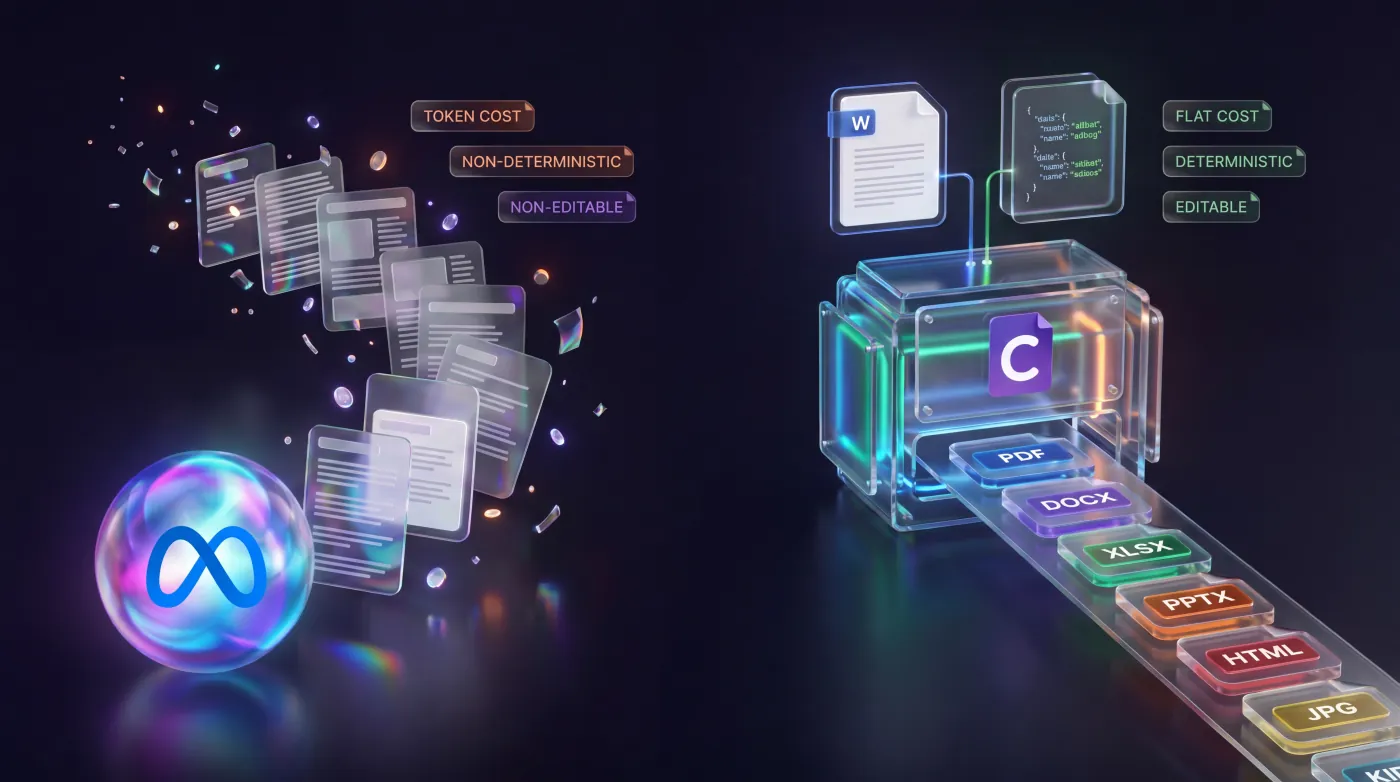
- Identical output, run after run. The same template and the same JSON always give the same document, so you can test it, version it and audit it.
- Less work for the model. Muse sends a compact JSON payload instead of writing a whole file: fewer tokens, less GPU time, and no layout to get wrong.
- People keep the final say. Legal and brand approve the template once. Changing a clause means editing a Word file, not rewriting a prompt.
Connect Carbone to Muse, however you run it
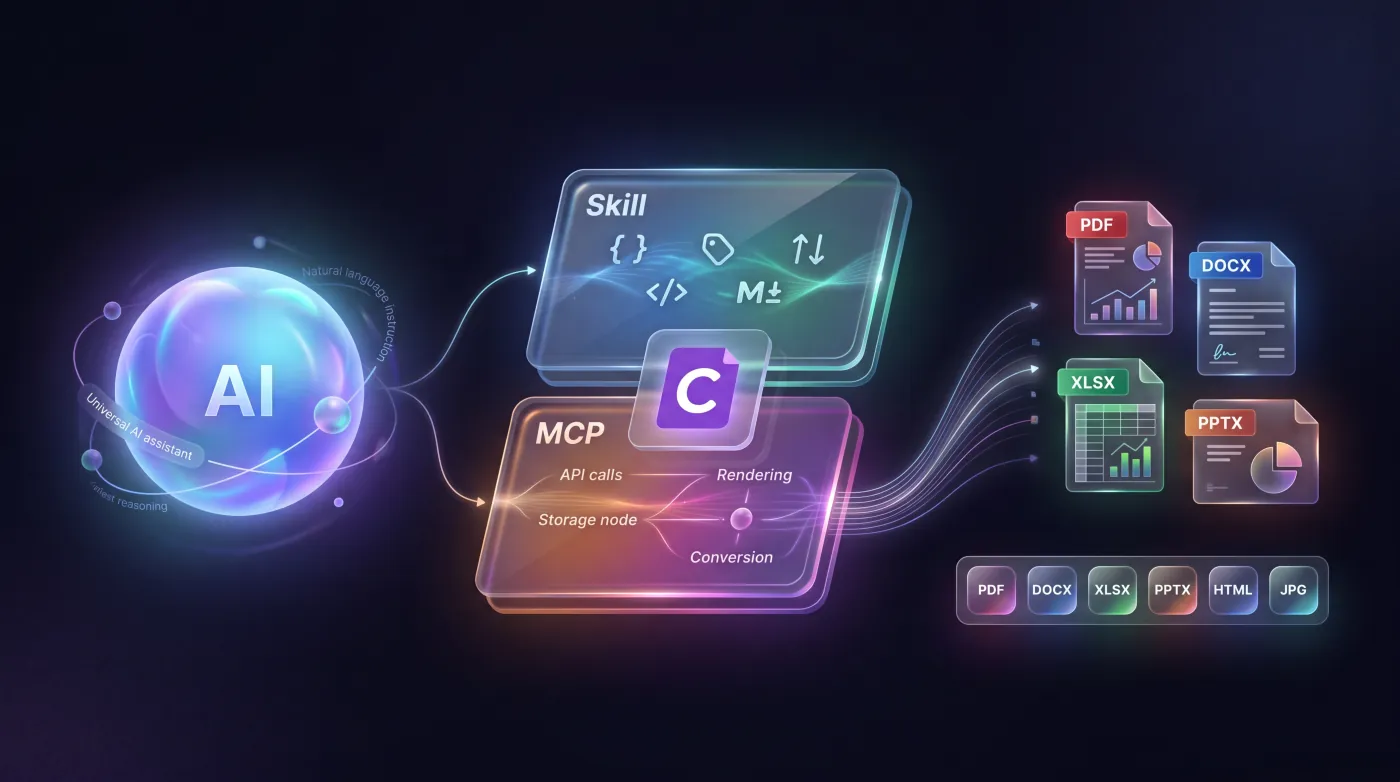
The pieces stay the same: the Carbone Skill teaches Muse the template language, and the Carbone MCP server or API renders the document in PDF, DOCX, XLSX, PPTX or any of 100+ output formats.
Muse Code
Meta's coding agent supports Agent Skills and MCP. Add the Carbone Skill and the Carbone MCP server, and Muse Code designs templates and renders documents from your terminal.
Meta Model API
Give Muse Spark a function that calls the Carbone API, or use structured output so it returns JSON in exactly the shape your template expects. Prepend the Carbone Skill to the system prompt when Muse designs templates.
Self-hosted Glimmer or Spark Open
Run Carbone On-Premise and the Carbone MCP server next to your model, in your VPC or on an air-gapped host. Templates, data and documents never leave your network.
What teams build with Muse and Carbone
- Contracts and agreements. Muse drafts the clauses from the deal data, and Carbone renders the DOCX your legal team approved, ready to sign.
- Reports and regulated filings. Credit memos, audit reports and discharge summaries, rendered inside the network that holds the data.
- Invoices and statements at volume. Once a template is approved, your code, n8n or Make renders it through the API in batches of thousands, with no model in the loop.
- Template migration. With the Carbone Skill, Muse rewrites Docxtemplater, Jinja or JasperReports templates as Carbone tags.
Trusted by 800+ paid customers in 40+ countries















Frequently asked questions
Generating documents with Meta Muse and Carbone.
Can Meta Muse generate PDF and Word documents?
Yes, with Carbone. Muse writes the content as JSON, and Carbone, a document generation API, fills your Word, Excel or PowerPoint template and returns a finished PDF, DOCX, XLSX or PPTX file, with the same layout every time.
Does Muse support MCP and the Carbone Skill?
It depends on where Muse runs, since MCP support comes from the agent, not the model. Muse Code, Meta's coding agent, supports both: see how to add the Carbone Skill and the Carbone MCP server. With the Meta Model API or a self-hosted model, connect Carbone through tool calling or through any agent framework that acts as an MCP client, and prepend the Carbone Skill to your system prompt.
Which Muse models work with Carbone?
All of them. Carbone receives JSON over HTTP, so it works the same with Muse Spark through the Meta Model API, Muse Glimmer on a single consumer GPU, Muse Spark Open on your own cluster, or an existing Llama deployment. Your templates carry over when you switch models.
Can Carbone and Muse run fully offline?
Yes. Carbone On-Premise is a Docker image that runs in your VPC or on an air-gapped host, and the Carbone MCP server runs next to it. Paired with a self-hosted Muse Glimmer or Muse Spark Open, templates, data and documents never leave your network.
How much does Carbone cost?
Self-hosting can start free: the Carbone On-Premise Community Edition has no document or server limit. An Enterprise license adds charts, dynamic images, barcodes and PDF features such as watermarks, encryption and signatures. Carbone Cloud is priced per document, with a free plan of 100 documents a month. You never pay per token or per page.
Can Muse turn HTML or Markdown into a PDF?
Yes. Carbone accepts HTML and Markdown as template formats. Ask Muse to write the page, and Carbone renders HTML templates to PDF or images, and Markdown templates to PDF, DOCX or ODT, with your data, loops and conditions applied. See the HTML and Markdown template guides.
Does Carbone work with other AI assistants?
Yes. The same Skill and MCP server work with Claude, ChatGPT, Microsoft Copilot, Google Gemini, Vibe by Mistral, DeepSeek, Cursor and Grok. A template built with one model renders the same with any other.
Still have a question? Chat with us.