PDF Forms with Background Images
Generate PDF forms over a background image with Carbone
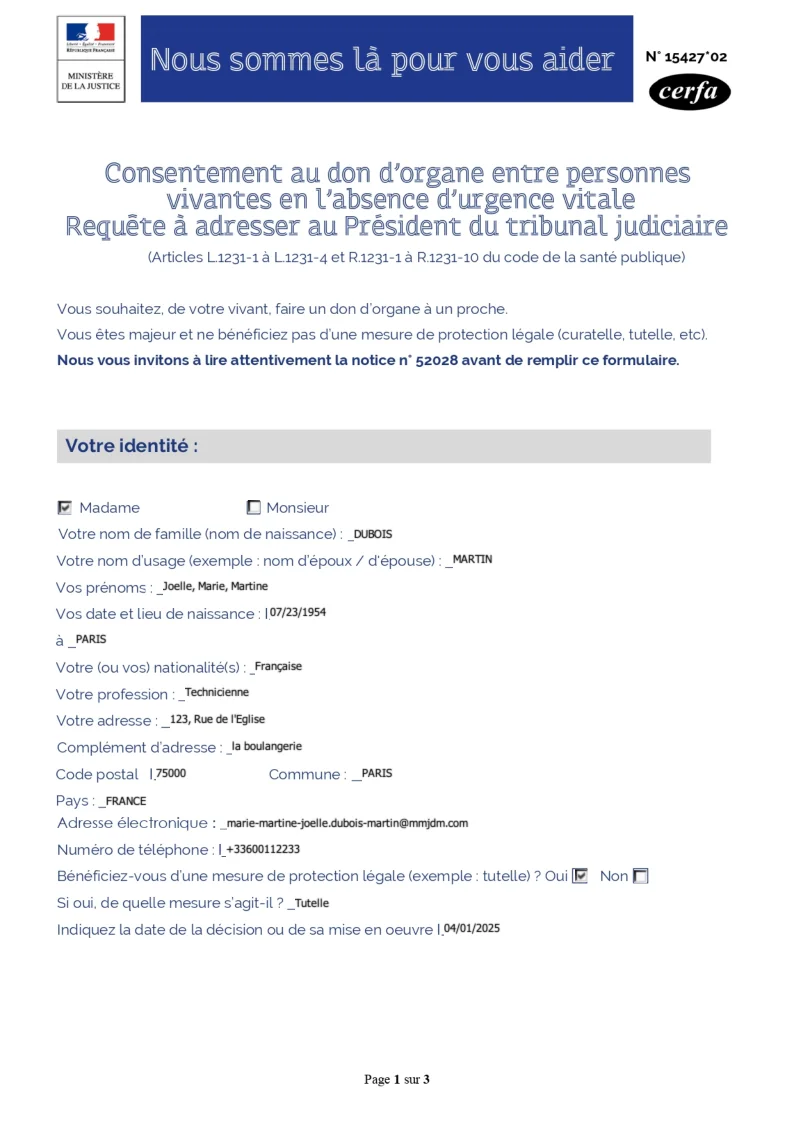
- Template type document odt simple
- Carbone min. v4.0.0+
- Features pdf form checkbox
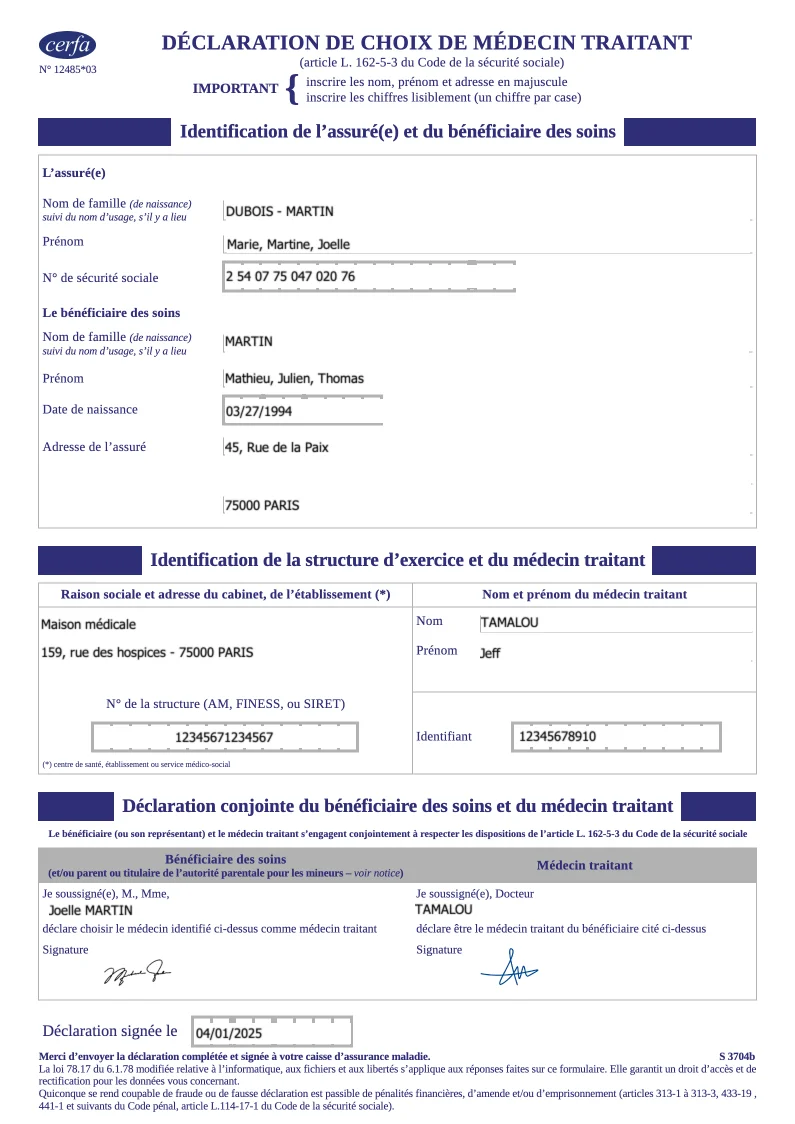
- Target form
Overview
Learn how to generate a PDF form that includes:
- Text boxes and checkboxes
- Professional background images
Step-by-Step Guide
This guide shows you how to create an ODT template with background images using Carbone. You'll learn to design a form by placing text boxes and checkboxes over background images.
1. Add Background Images
For the first page:
- Right-click on the page
- Select Page Style...
- Navigate to the Area tab
- Click Add/Import and choose your background image
- Select the Stretched style under options
- Click OK
For forms with multiple pages, create a unique page style for each one:
- Open the Styles panel (View > Styles)
- Click the Page Styles icon (fourth icon, showing a small page)
- Right-click on an existing style (e.g., Default Page Style)
- Select New...
- Enter a unique Name in the General tab
- In the Area tab:
- Click Image
- Use Add/Import to select your background image
- Choose Stretched style
- Click OK
To apply background styles to each page:
- Place your cursor at the start of the page
- Go to Insert > More Breaks > Manual Break...
- Choose Page break
- Select the appropriate style from the Page Style list
- Click OK
Repeat these steps for each page of your form.
2. Add Form Elements
Add text boxes and checkboxes to complete your form.
Technical Tips for Better Layout
Remove Text Box Borders:
- Right-click on the text box
- Select Control Properties
- Navigate to the General tab
- Find the Border section
- Choose Without frame
Checkbox Configuration: When using checkboxes, avoid copying and pasting them unless you assign a unique Label to each one.
Related Examples
Trusted by 800+ paid customers in 40+ countries
Finance
Healthcare
Insurance
Legal
Public
Retail
Energy
Software
Telecom